Every control your operations need, in one console
See every registered PC at a glance, take over a screen remotely, and automate repetitive work. Explore RemotePilot's core capabilities through real admin console screens.
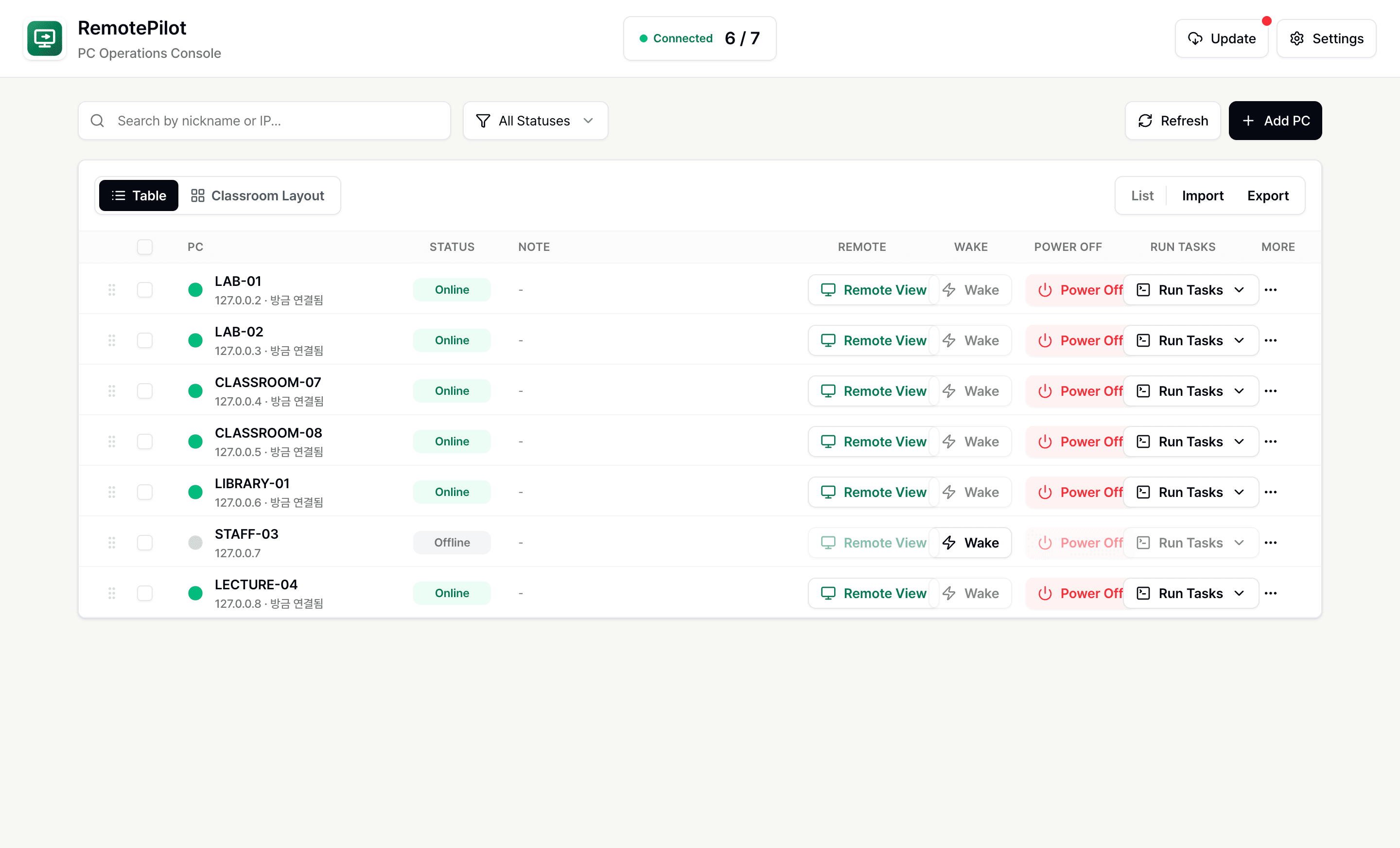
Understand every PC from one screen
Track online status, IP addresses, and last connection times for every registered PC. Switch freely between table and classroom-layout views to find the PC you need.
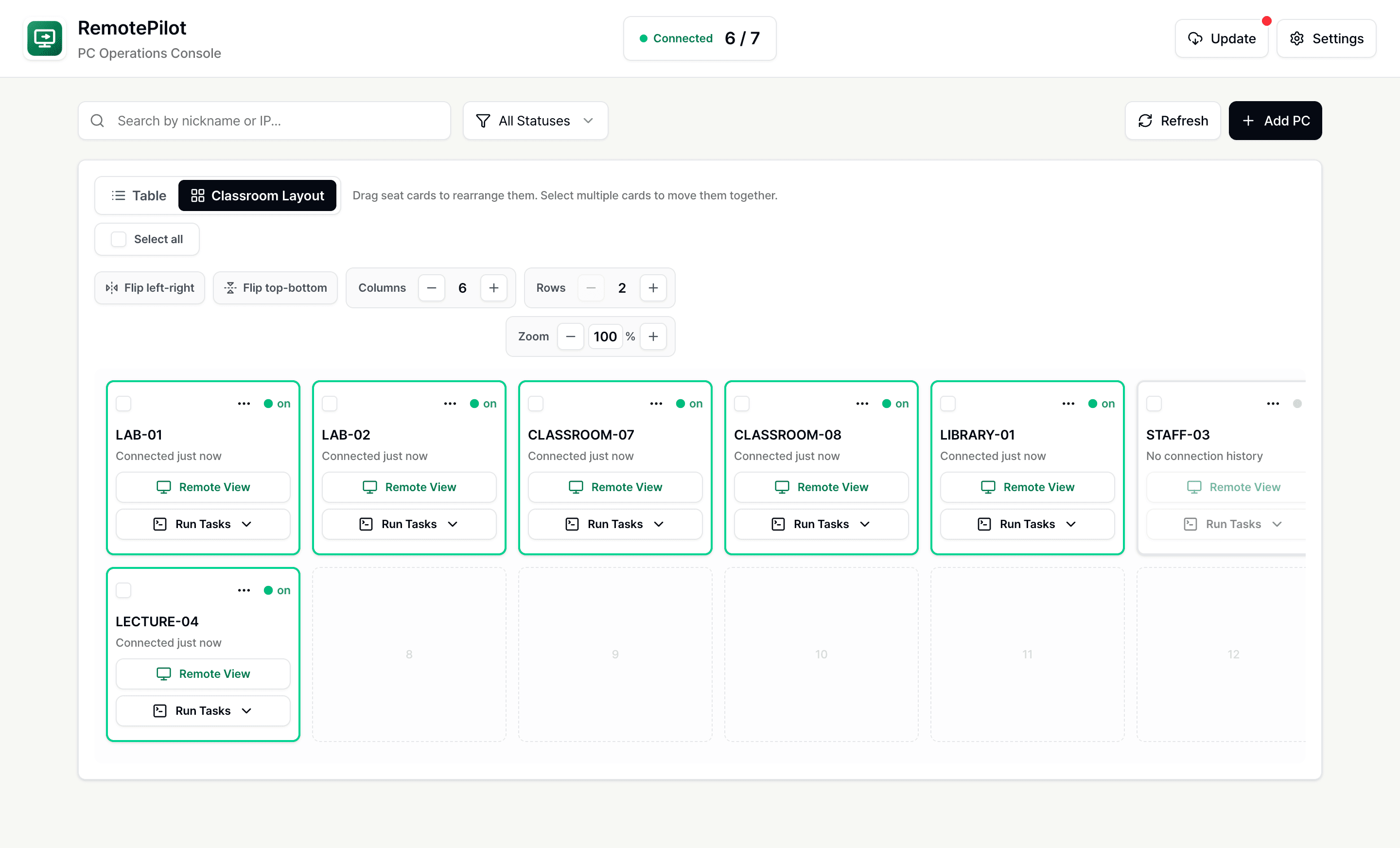
Manage PCs in their real seating
Lay out PCs just like the real classroom for intuitive management. Drag cards to rearrange seats and select several at once to control them together.
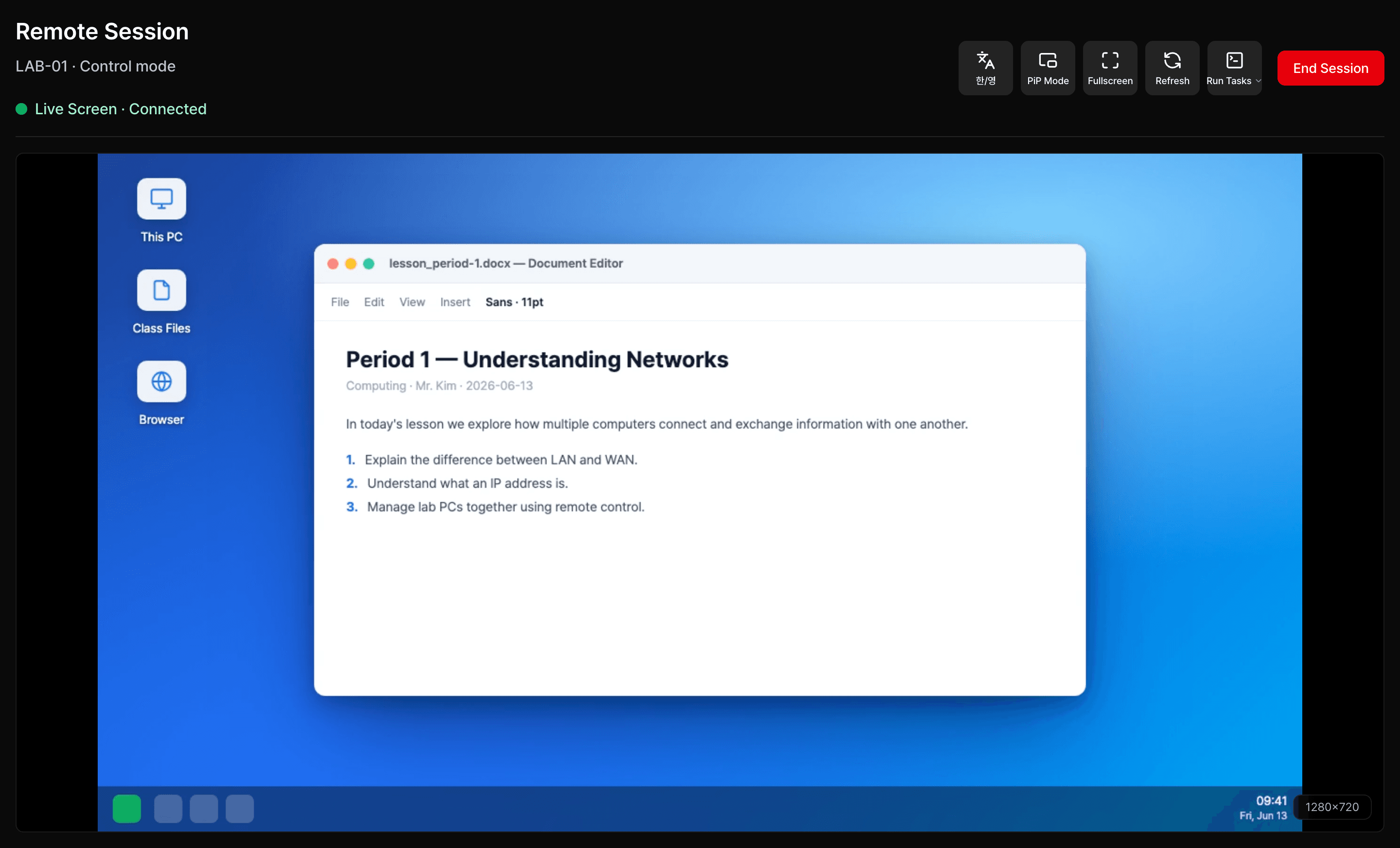
See and control screens without leaving your desk
Watch an online PC's live screen and switch into control mode to drive the mouse and keyboard yourself, or stay view-only just to monitor.
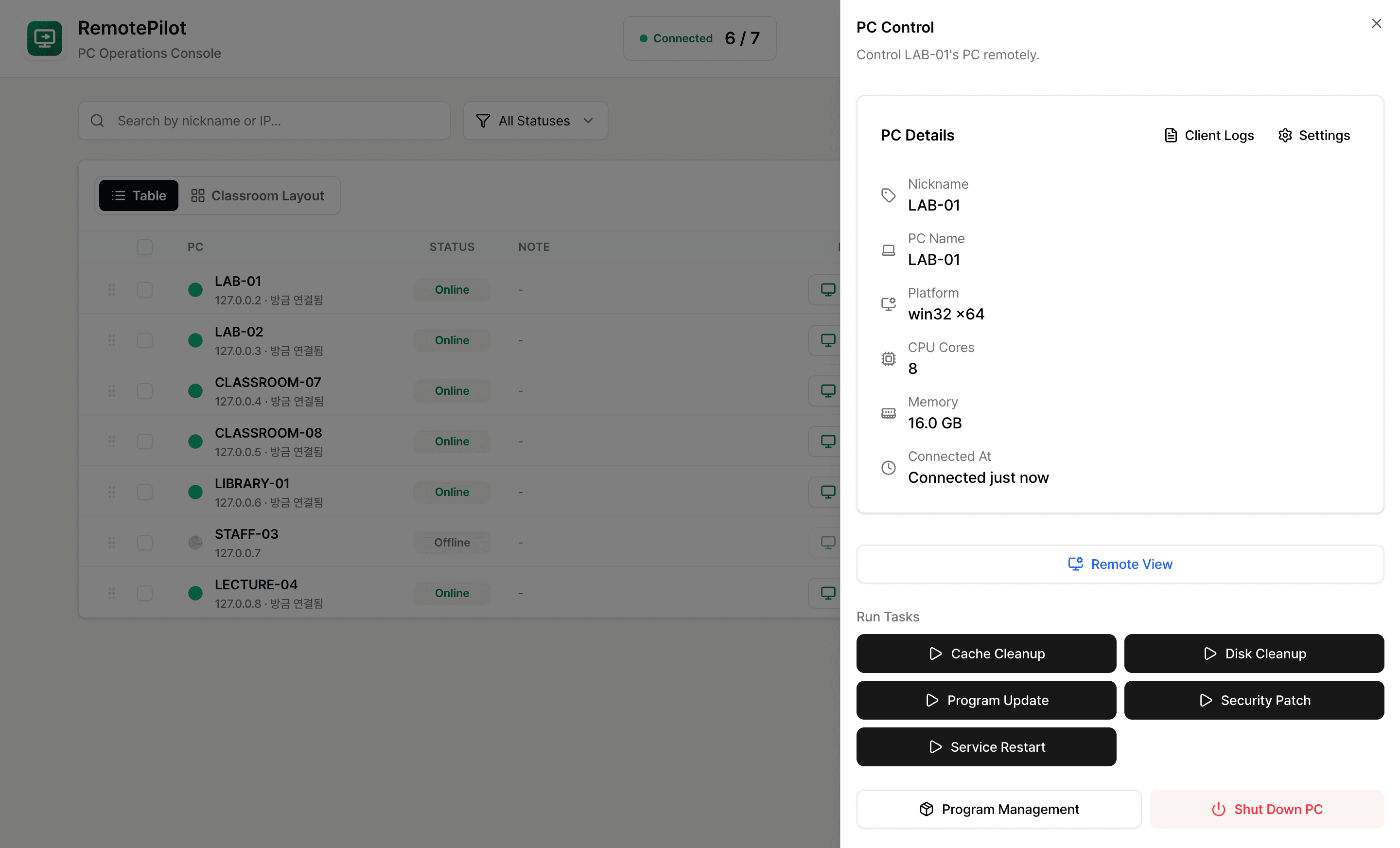
Control a single PC in depth
Check hardware specs and connection info, then start a remote view, run tasks, manage programs, or control power — all from one panel.
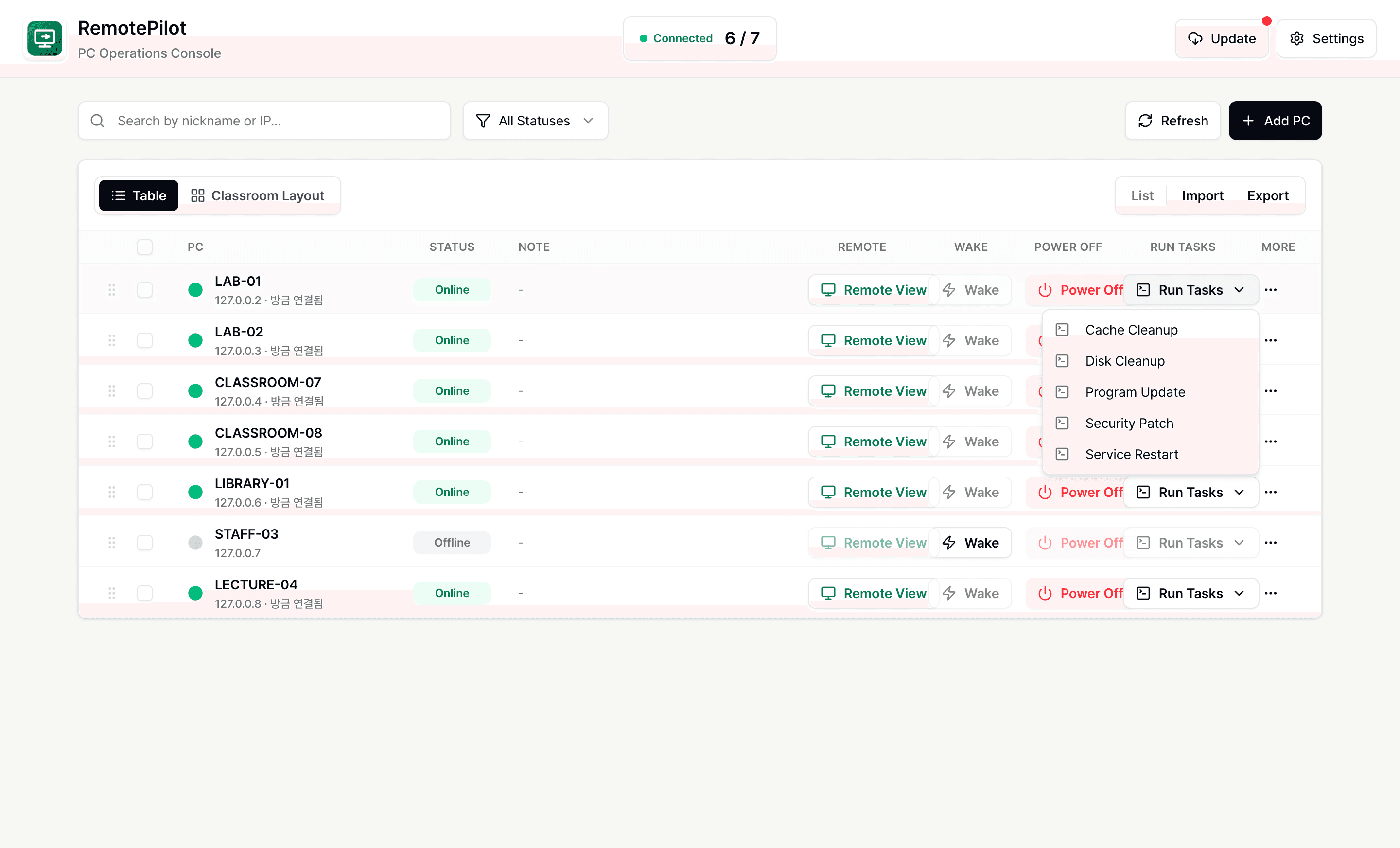
Run repetitive work with one script
Run maintenance tasks like disk cleanup or security patches across selected PCs at once, and watch progress and results right inside the flow.
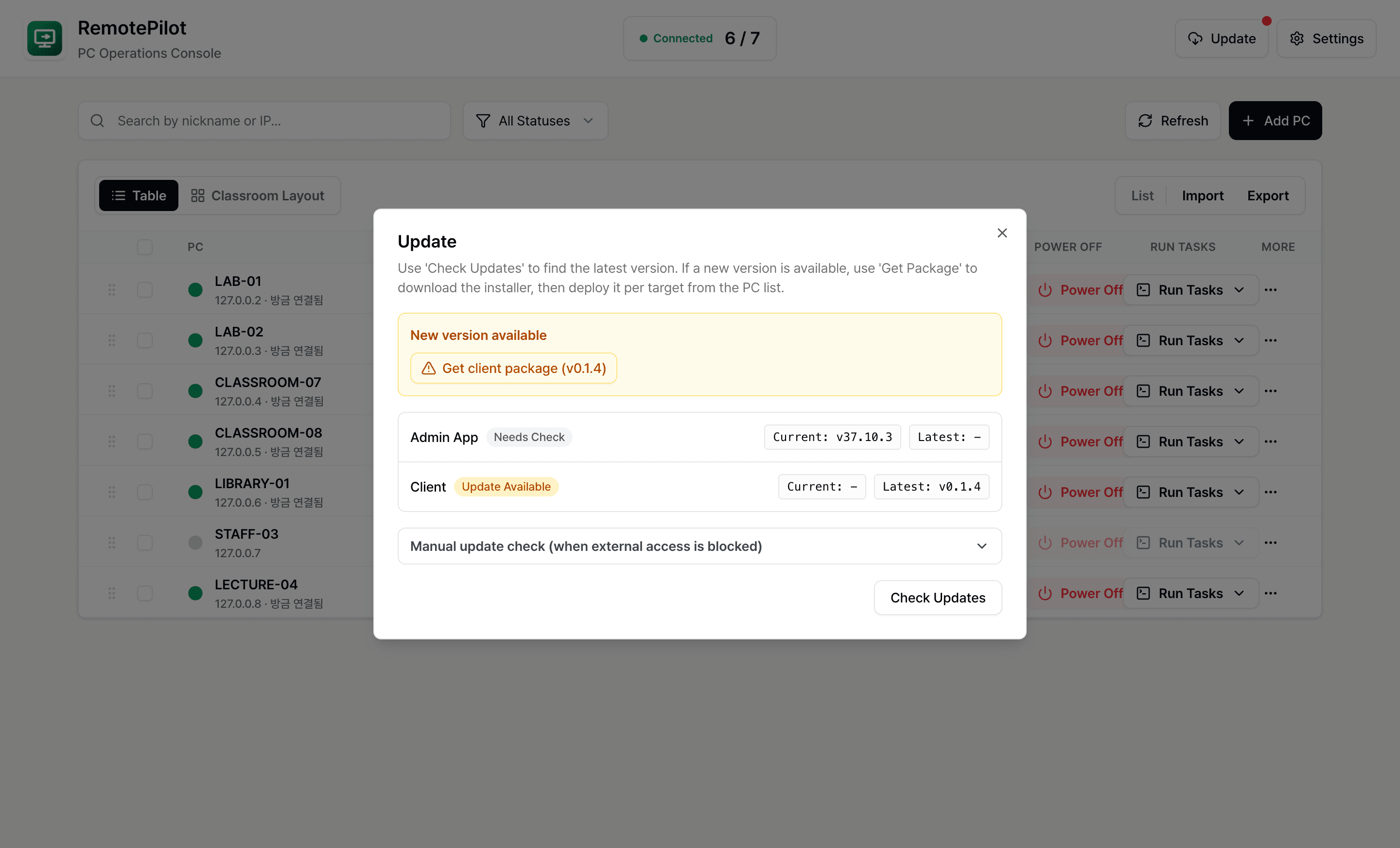
Manage versions from the console
Check admin and client package versions and manage deployment readiness, all without leaving the console.
Remote management traffic never leaves your local network
RemotePilot connects the admin PC and managed PCs directly within the same local network. Screens, input, and task commands never pass through an external server or cloud relay, so it keeps working even on fully closed networks with no internet access.
Direct connection, no external server
Managed PCs connect straight to the admin console, so remote screens, input, and commands never route through the public internet or a cloud relay.
Works on closed networks
Use it on air-gapped or internal networks with no internet access. All it needs is the admin PC and managed PCs on the same network.
Minimal external exposure
Managed PCs connect only over private IP addresses, so they are not exposed to the public internet, and only registered admins can connect.